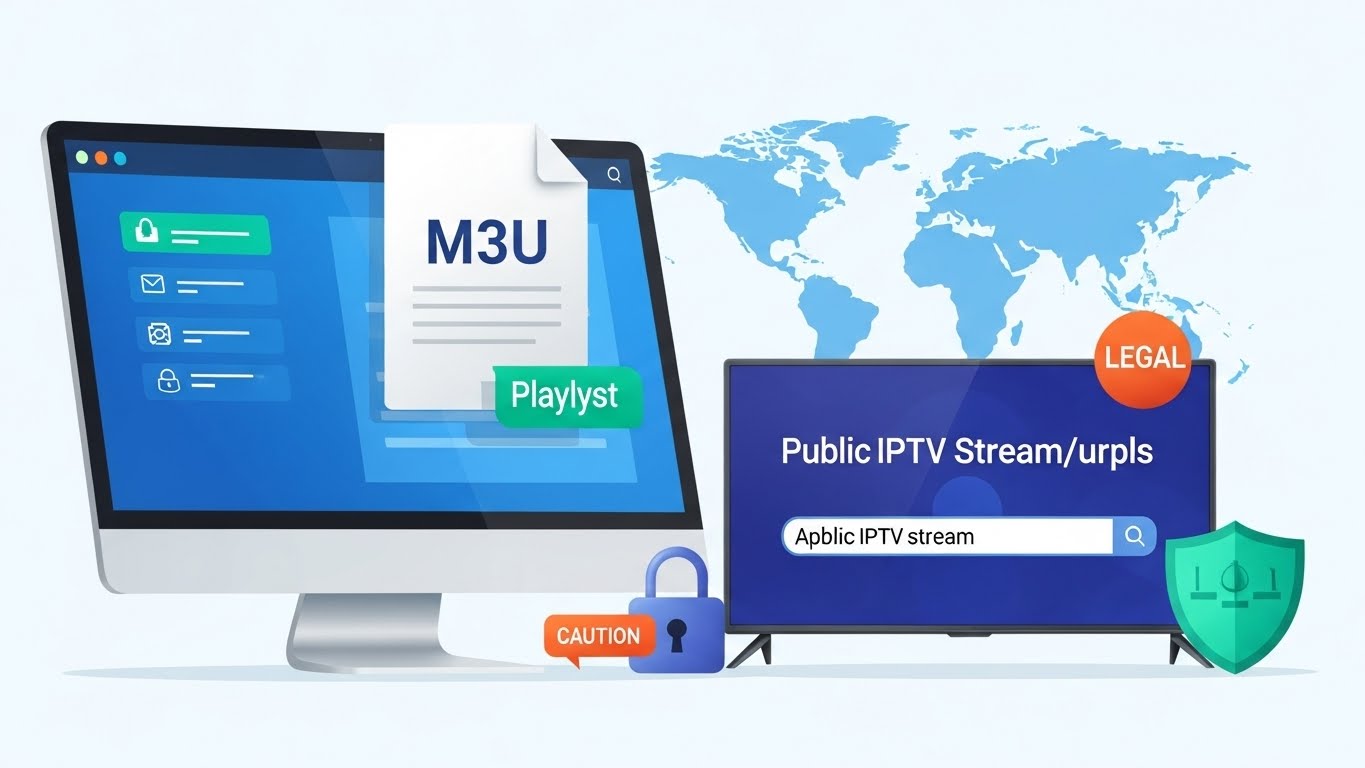
Public IPTV stream URL sources have become increasingly popular among cord-cutters searching for free or low-cost television alternatives. Understanding what public IPTV stream URL options exist, how to use them safely, and which sources are legal can save you from security risks, legal troubles, and streaming disappointments. This comprehensive guide explores legitimate public IPTV stream URL sources, explains M3U playlist formats, addresses safety concerns, and provides expert recommendations for 2025.
What Is a Public IPTV Stream URL?
A public IPTV stream URL is a web address that points to live television streams, on-demand content, or recorded broadcasts accessible over the internet. These URLs typically appear in M3U or M3U8 playlist formats—text files containing lists of streaming channels with their corresponding web addresses. Public IPTV stream URL collections allow users to watch content through IPTV players without requiring traditional cable or satellite subscriptions.
The term “public” indicates these public IPTV stream URL sources are freely available, community-maintained, or openly distributed through platforms like GitHub, forums, or dedicated websites. Unlike premium IPTV services requiring paid subscriptions, public IPTV stream URL resources claim free access to thousands of channels worldwide. However, “public” doesn’t automatically mean “legal”—a critical distinction we’ll explore throughout this guide.
Public IPTV stream URL formats include direct links to video streams (HTTP, HTTPS, RTMP protocols), M3U playlists containing multiple channel URLs, Xtream Codes API endpoints for advanced IPTV services, and EPG (Electronic Program Guide) URLs providing schedule information. Understanding these formats helps users navigate the complex landscape of public IPTV stream URL sources safely and effectively.
How Public IPTV Stream URLs Work

Public IPTV stream URL technology delivers television content through internet protocols rather than traditional broadcast methods. When you load a public IPTV stream URL into an IPTV player application, the software connects to the streaming server, requests the video feed, receives data packets containing audio and video, and displays the content on your screen in real-time.
The most common public IPTV stream URL format is M3U, a plain-text file format originally developed for audio playlists but now widely used for video streaming. An M3U playlist contains entries like:
text#EXTM3U
#EXTINF:-1,Channel Name
http://example.com/stream.m3u8
This simple structure allows IPTV players to parse channel names, stream URLs, logos, and metadata, creating user-friendly channel guides from basic text files. Advanced public IPTV stream URL collections include EPG data, channel grouping, language tags, and quality indicators to enhance the viewing experience.
Legitimate Public IPTV Stream URL Sources
Not all public IPTV stream URL sources involve piracy or copyright violations. Several legitimate options provide free, legal streaming:
IPTV-Org GitHub Repository
The IPTV-Org project on GitHub represents one of the largest legitimate public IPTV stream URL collections, offering over 10,000 channels from broadcasters worldwide. This community-maintained repository focuses exclusively on legally available streams—channels intentionally made public by broadcasters, free over-the-air broadcasts captured and shared legally, and official streaming services offering free content.
According to the GitHub developers, channels in this public IPTV stream URL collection are legal to stream, though users should verify their local regulations. The repository provides country-specific playlists, language-based categorization, and regular updates to remove dead links. Access the main playlist at: https://iptv-org.github.io/iptv/index.m3u.
Notable channels in this public IPTV stream URL source include PBS, NBC, ABC, CBS, FOX, Pluto TV networks, Adult Swim, AFV, and thousands of international broadcasters. While on-demand content is limited, the live channel selection rivals many paid services.
Free-TV GitHub Repository
Free-TV represents another reputable public IPTV stream URL source focusing on legitimately free channels. This project includes over-the-air broadcasts available free locally, Pluto TV channels in multiple languages, Plex TV streams, Redbox Live TV, Roku TV channels, Samsung TV Plus content, and live YouTube channels.
Strict guidelines ensure this public IPTV stream URL collection maintains legality—only channels officially provided free, no paid subscription channels, no adult content, and no politically or religiously focused programming. Access the playlist at: https://raw.githubusercontent.com/Free-TV/IPTV/master/playlist.m3u8.
EPGHub Custom Playlist Generator
EPGHub offers a modern approach to public IPTV stream URL management through personalized playlist generation. Users browse available countries and platforms, select desired channels, and receive a custom M3U URL combining multiple legitimate sources. This public IPTV stream URL service provides integrated EPG data, simplified playlist management, and legal channel aggregation from verified broadcasters.
Visit the official website at: https://epghub.xyz/ to create your personalized legal public IPTV stream URL playlist.
TVPass
TVPass provides a web-based public IPTV stream URL portal offering free channels with integrated EPG support. While the website works well on computers and mobile devices, the M3U playlist option performs better on streaming devices and smart TVs. Access the playlist at: https://tvpass.org/playlist/m3u.
Understanding M3U Playlist Formats
Public IPTV stream URL collections primarily use M3U or M3U8 file formats, which contain plain-text channel lists readable by IPTV players. Understanding this format helps users create custom playlists, troubleshoot streaming issues, and evaluate playlist quality before use.
Basic M3U Structure
An M3U file begins with #EXTM3U followed by entries for each channel. Each entry includes:
text#EXTINF:-1 tvg-id="channel-id" tvg-name="Channel Name" tvg-logo="http://logo.url" group-title="Category",Channel Display Name
http://stream-url.com/channel.m3u8
This structure provides the IPTV player with stream URL, channel name, logo image URL, EPG identifier, and category grouping. Advanced public IPTV stream URL playlists include additional metadata like language codes, quality indicators, geographic restrictions, and alternative stream URLs.
M3U vs M3U8
While often used interchangeably, M3U and M3U8 have technical differences. M3U files use standard text encoding, while M3U8 files use UTF-8 encoding supporting international characters. For public IPTV stream URL playlists containing channels in non-Latin alphabets, M3U8 ensures proper character display.
Legal Concerns and Copyright Issues
The legality of public IPTV stream URL sources varies dramatically depending on content licensing and distribution rights. Understanding these distinctions protects users from legal consequences and ethical concerns.
Legal Public IPTV Stream URLs
Legitimate public IPTV stream URL sources include over-the-air broadcasts made available online by broadcasters, free streaming services like Pluto TV and Roku Channel, official broadcaster live streams, YouTube live channels, and content creators intentionally publishing free streams.
These public IPTV stream URL options carry no legal risk because content owners have authorized free distribution. Reputable repositories like IPTV-Org and Free-TV actively curate content to include only legitimate sources.
Illegal Public IPTV Stream URLs
Many public IPTV stream URL collections found on forums, social media, and unauthorized websites contain pirated content—copyrighted material distributed without permission. These illegal public IPTV stream URL sources include premium cable channels streamed without authorization, pay-per-view events redistributed illegally, movie channels from paid services, sports broadcasts without licensing, and subscription service content shared unlawfully.
Using illegal public IPTV stream URL sources carries serious risks:
- Legal Consequences: Copyright infringement can result in fines, lawsuits, and criminal charges. In Greece, IPTV piracy fines range from €750 to €5,000 per offense, doubling for repeat violations. Sweden is criminalizing consumption of illegal IPTV services, targeting users directly rather than only providers.
- Security Risks: Illegal public IPTV stream URL sources frequently contain malware, viruses, spyware, and phishing attempts. Personal information including credit card details can be harvested and sold on dark web markets.
- Poor Quality: Unauthorized public IPTV stream URL services suffer from constant buffering, frequent service interruptions, channel disappearances, and zero customer support.
- Supporting Criminal Activity: Revenue from illegal public IPTV stream URL services funds organized crime, undermining legitimate content creators and the entertainment industry.
For detailed country-specific regulations, consult this comprehensive guide to IPTV legality worldwide.
Security Concerns with Public IPTV Stream URLs
Beyond legal issues, public IPTV stream URL sources present significant security threats that can compromise your devices and personal information.
Malware and Viruses
Illegitimate public IPTV stream URL sources often embed malicious code in M3U files, playlist websites, or linked applications. Unsuspecting users download malware while accessing these public IPTV stream URL collections, resulting in device infections, ransomware attacks, cryptocurrency mining software, keyloggers capturing passwords, and botnet recruitment.
Data Breaches and Privacy Violations
Unauthorized public IPTV stream URL services operate without proper security measures, making user data vulnerable to harvesting. Personal information, payment details, viewing habits, IP addresses, and device identifiers may be collected, stored insecurely, and sold to third parties.
Phishing and Financial Fraud
Some public IPTV stream URL websites use fake payment portals to steal credit card information, create deceptive subscription traps, harvest login credentials for other services, and conduct identity theft operations.
How to Safely Use Public IPTV Stream URLs
If you choose to explore public IPTV stream URL sources, follow these safety guidelines to minimize risks:
Verify Source Legitimacy
Only use public IPTV stream URL collections from reputable platforms like GitHub repositories with active communities (IPTV-Org, Free-TV), official broadcaster websites, verified free streaming services, and established IPTV communities with moderation.
Avoid public IPTV stream URL sources from anonymous forums, social media posts with suspicious links, websites requiring payment information for “free” services, and sources offering thousands of premium channels at no cost.
Use Security Software
Protect your devices when accessing any public IPTV stream URL source:
- Install reputable antivirus software and keep it updated
- Enable firewall protection on all devices
- Use VPN services to encrypt traffic and hide IP addresses
- Implement ad-blocking to prevent malicious advertisements
- Avoid entering personal information on untrusted sites
Choose Legal IPTV Players
Use legitimate IPTV player applications from official app stores—VLC Media Player for desktop, GSE Smart IPTV for iOS/Android, TiviMate for Android TV, IPTVX for Apple TV, and Kodi with official add-ons.
Avoid sideloading unknown IPTV players, downloading from third-party app stores, or using applications requesting excessive permissions.
Test Playlists Carefully
Before fully committing to a public IPTV stream URL source:
- Load playlists in isolated test environments
- Verify channel functionality and content legality
- Check for suspicious behavior or unexpected redirects
- Monitor device performance for signs of malware
- Research community feedback about specific sources
Setting Up Public IPTV Stream URLs
Using legitimate public IPTV stream URL sources requires proper configuration across different devices:
Desktop Computers (Windows/Mac/Linux)
- Download VLC Media Player from official website
- Open VLC and navigate to Media > Open Network Stream
- Paste your public IPTV stream URL (M3U link)
- Click “Play” to start streaming
- Save playlist for future access via Media > Save Playlist
Android Devices
- Install GSE Smart IPTV or IPTV Smarters Pro from Google Play Store
- Open app and select “Add Playlist”
- Choose “M3U URL” option
- Enter your public IPTV stream URL
- Name the playlist and save
- Browse channels through the app interface
iOS Devices (iPhone/iPad)
- Download IPTVX or GSE Smart IPTV from Apple App Store
- Launch app and tap “Add Playlist”
- Select “Remote Playlist” or “M3U URL”
- Input your public IPTV stream URL
- Configure EPG settings if available
- Start streaming through the app
Apple TV
- Install IPTVX from tvOS App Store
- Open app and navigate to Settings
- Select “Add Playlist” > “M3U URL”
- Enter your public IPTV stream URL
- Enable iCloud sync for multi-device access
- Browse channels using Siri Remote
Android TV / Fire TV
- Install TiviMate or IPTV Smarters Pro
- Launch app and select “Add Playlist”
- Choose “M3U URL” option
- Enter your public IPTV stream URL
- Configure EPG sources
- Customize interface and channel organization
Best Practices for Public IPTV Stream URL Management
Maintaining an effective public IPTV stream URL setup requires ongoing management:
Regular Playlist Updates
Public IPTV stream URL collections frequently change as channels go offline, URLs expire, new sources become available, and providers update streaming protocols. Check your sources monthly, replace dead links promptly, and subscribe to update notifications from repository maintainers.
Organize Channels Efficiently
Large public IPTV stream URL playlists can contain thousands of channels. Create custom categories by language, genre, or country, hide unwanted channels to reduce clutter, build favorites lists for quick access, and remove duplicate entries.
Backup Your Configuration
Save copies of working public IPTV stream URL playlists, export IPTV player settings regularly, document custom configurations, and maintain lists of trusted sources for quick restoration after device changes or app updates.
Monitor Performance
Track buffering frequency to identify connection issues, test channel reliability over time, compare quality across different public IPTV stream URL sources, and adjust video quality settings based on internet speed.
Alternatives to Public IPTV Stream URLs
While public IPTV stream URL sources offer free access, legitimate paid alternatives provide better reliability, quality, and legal protection:
Legal IPTV Services
Premium IPTV providers offer licensed content with guaranteed uptime:
- YouTube TV: Live TV with major networks, unlimited DVR, multi-screen viewing
- Sling TV: Affordable channel packages starting at $40/month
- Hulu + Live TV: Entertainment channels plus on-demand library
- FuboTV: Sports-focused with comprehensive channel lineup
- Philo: Budget option with 70+ channels at $28/month
These services work seamlessly with top IPTV providers offering reliable infrastructure and customer support.
Free Legal Streaming Services
Legitimate free alternatives to questionable public IPTV stream URL sources include:
- Pluto TV: 250+ live channels with on-demand content
- Roku Channel: Free movies, TV shows, and live news
- Tubi: Extensive library of licensed movies and series
- Plex Live TV: Free over-the-air integration and streaming channels
- Samsung TV Plus: Free channels on Samsung devices
Troubleshooting Common Public IPTV Stream URL Issues
Users frequently encounter problems when working with public IPTV stream URL sources:
Broken Links and Dead Channels
Public IPTV stream URL collections often contain non-functional links due to expired streams, changed URLs, provider restrictions, or removed content. Solutions include refreshing playlists regularly, switching to alternative sources, checking repository update logs, and using EPGHub to combine multiple sources.
Buffering and Playback Issues
Streaming problems with public IPTV stream URL sources can stem from insufficient bandwidth, server overload, network congestion, or device limitations. Fixes include testing internet speed (25+ Mbps for HD recommended), using wired Ethernet connections, closing background applications, lowering video quality settings, and trying different servers from the playlist.
EPG Not Loading
Electronic Program Guide data may fail to display due to incorrect EPG URLs, mismatched channel IDs, outdated guide data, or provider changes. Resolve by verifying EPG URL format, updating EPG sources manually, matching tvg-id values in M3U files, and using EPGHub for automatic matching.
Geographic Restrictions
Some public IPTV stream URL sources implement geo-blocking limiting access by location. Bypass restrictions using VPN services, Smart DNS proxies, or selecting playlists without geographic limitations from repositories like IPTV-Org.
Future of Public IPTV Stream URLs
The landscape of public IPTV stream URL distribution continues evolving in 2025:
Increased Legal Enforcement
Countries worldwide are strengthening anti-piracy measures targeting both illegal public IPTV stream URL providers and consumers. Sweden’s proposal to criminalize IPTV consumption marks a significant shift from targeting suppliers to deterring users directly. Expect more aggressive prosecution, higher fines, and ISP cooperation in blocking illegal streams.
Improved Legitimate Options
Broadcasters increasingly offer free legal streaming alternatives reducing demand for questionable public IPTV stream URL sources. More channels launching official apps, expanded free streaming services, and better integration with legitimate IPTV platforms make legal options more attractive.
Community-Driven Curation
Projects like IPTV-Org demonstrate sustainable models for legal public IPTV stream URL sharing through community moderation, transparent licensing verification, regular maintenance, and educational resources about copyright.
Frequently Asked Questions About Public IPTV Stream URLs
What is a public IPTV stream URL and how does it work?
A public IPTV stream URL is a web address pointing to live television streams or on-demand content accessible over the internet, typically in M3U or M3U8 playlist formats. These public IPTV stream URL collections allow users to watch channels through IPTV player applications without traditional cable subscriptions. The technology streams video data through internet protocols, with players connecting to servers and displaying content in real-time.
Are public IPTV stream URLs legal to use?
Legality depends entirely on content licensing. Legitimate public IPTV stream URL sources like IPTV-Org and Free-TV contain only legally available channels—over-the-air broadcasts, free streaming services, and officially published streams. However, many public IPTV stream URL collections found on forums contain pirated premium content, making them illegal to use. Always verify sources and check IPTV legality by country.
What are the risks of using public IPTV stream URLs?
Risks include legal consequences like fines and lawsuits for copyright infringement, security threats including malware, viruses, and data breaches, privacy violations through data harvesting and identity theft, poor streaming quality with buffering and interruptions, and supporting criminal organizations through illegal services.
Where can I find legitimate public IPTV stream URLs?
Trusted sources for legal public IPTV stream URL collections include IPTV-Org GitHub repository (https://iptv-org.github.io/iptv/index.m3u), Free-TV GitHub project (https://raw.githubusercontent.com/Free-TV/IPTV/master/playlist.m3u8), EPGHub custom generator (https://epghub.xyz/), and TVPass playlist (https://tvpass.org/playlist/m3u).
How do I add public IPTV stream URLs to my device?
Load public IPTV stream URL playlists by installing a legitimate IPTV player (VLC, GSE Smart IPTV, TiviMate, IPTVX), opening the app’s playlist management, selecting “Add Playlist” or “M3U URL”, pasting your public IPTV stream URL, and saving the configuration. Detailed setup instructions vary by device and application.
What’s the difference between M3U and M3U8 formats?
M3U uses standard text encoding while M3U8 uses UTF-8 encoding supporting international characters. For public IPTV stream URL playlists with channels in non-Latin alphabets, M3U8 ensures proper display. Functionally, IPTV players handle both formats identically.
Can I use VPN with public IPTV stream URLs?
Yes, VPN services enhance security and privacy when accessing any public IPTV stream URL source by encrypting traffic, hiding IP addresses, bypassing geographic restrictions, and protecting against ISP monitoring. However, VPNs don’t make illegal streams legal—they only add privacy layers.
Which is the best IPTV app for Apple TV to use with public IPTV stream URLs?
To get the best experience streaming public IPTV stream URLs on your Apple TV, you should select an IPTV app that offers reliable playlist management, fast buffering, EPG support, and sync features. The most popular and highly recommended choice is IPTVX, but there are several top options to consider. For a full breakdown of features, setup instructions, and pros and cons, see our dedicated guide to the best IPTV app for Apple TV.
Which IPTV providers work best with public IPTV stream URLs?
For premium legal service instead of free public IPTV stream URL sources, explore top IPTV providers offering licensed content, reliable infrastructure, customer support, and legal protection. Legitimate providers ensure better quality than questionable public IPTV stream URL collections.
How often should I update my public IPTV stream URL playlists?
Update public IPTV stream URL collections monthly minimum to maintain channel availability. Active repositories like IPTV-Org update continuously, so checking for new versions weekly ensures access to latest channels and removes dead links.
What’s the best IPTV player for public IPTV stream URLs?
Top IPTV players for public IPTV stream URL sources include VLC Media Player for desktop versatility, TiviMate for Android TV with advanced EPG, IPTVX for Apple TV with iCloud sync, GSE Smart IPTV for format compatibility, and IPTV Smarters Pro for cross-platform support.
Conclusion: Navigating Public IPTV Stream URLs Safely
Public IPTV stream URL sources offer tempting free access to television content, but users must navigate this landscape carefully to avoid legal troubles, security risks, and ethical concerns. Legitimate public IPTV stream URL collections like IPTV-Org and Free-TV provide legal alternatives to paid services by curating broadcasters’ officially free streams.
However, countless illegal public IPTV stream URL sources distribute pirated premium content, exposing users to copyright infringement penalties, malware infections, data breaches, and criminal activity support. As countries intensify anti-piracy enforcement targeting consumers directly, the risks of using questionable public IPTV stream URL sources continue growing.
For the best experience, consider legitimate paid IPTV services offering licensed content, reliable infrastructure, customer support, and legal protection. Services like YouTube TV, Sling TV, and FuboTV provide comprehensive channel lineups without legal or security risks associated with dubious public IPTV stream URL sources. For provider recommendations, visit our guide to trusted IPTV providers.
If choosing public IPTV stream URL sources, stick exclusively to verified legal repositories, use security software and VPNs, verify content licensing, and stay informed about copyright regulations in your jurisdiction. The convenience of free public IPTV stream URL access never justifies legal jeopardy, security vulnerabilities, or supporting content piracy.
Leave a Reply